
🕹️ PM OS v2: The Memory Loop
+ New skills: Good Question Brainstormer & McKinsey Issue Tree
Hello!
This is 🕹 prodmgmt.world | Becoming Top PMs Together
🆕 In today’s edition:
🆓 PM OS v2: The Memory Loop
🔒 New AI Skills
PM OS v2: The Memory Loop
PM OS v1-1.8 helps a PM think and ship.
It can shape strategy docs, draft PRDs, critique plans, summarize research, and turn messy product context into something you can actually use.
But there is a weird failure mode that shows up after the artifact is created.
A meeting changes the project.
Leadership kills X feature, and tells the team to focus on Y by Q3.
Design is worried onboarding will look abandoned.
Someone raises a question about what happens to the commitments already made.
Everyone leaves the meeting knowing the project changed.
Then the next AI session starts from the old world.
That was the first part I worked on in PM OS v2, but it is not the whole memory problem.
The hard part of agent memory has three jobs:
deciding what deserves to become memory
slowly learning missing background context
using the right slice of memory before helping again
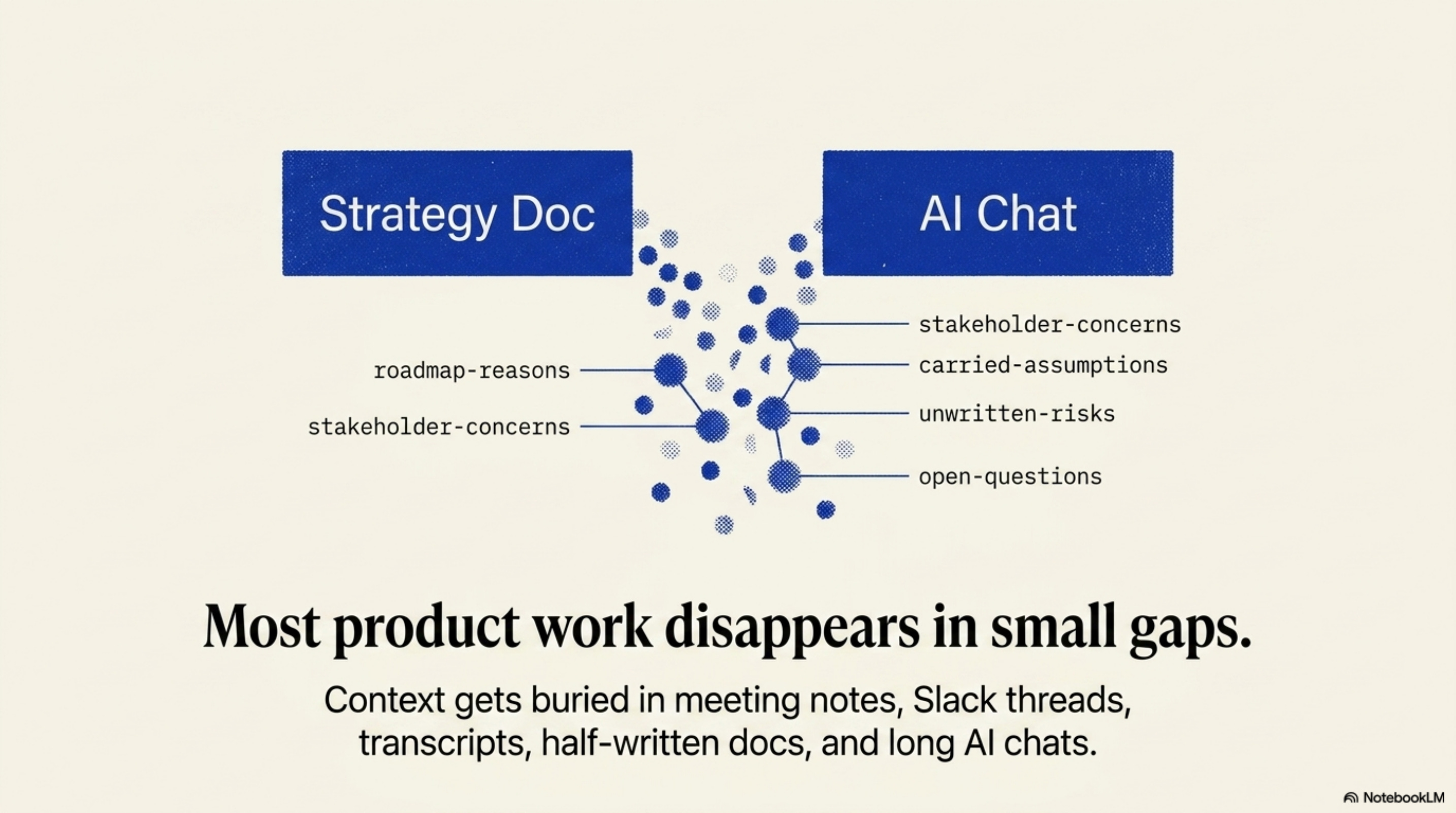
Context slips through the small gaps:
the reason a roadmap changed
the stakeholder concern that softened the recommendation
the assumption the team started carrying
the risk everyone agreed was real but nobody wrote down
the open question that should come back before the next decision
Those are usually the parts that matter later.
They are also the parts that get buried in meeting notes, Slack threads, transcripts, half-written strategy docs, and long AI chats.
So PM OS v2 now has a loop:
It captures explicit project events
It asks one lightweight context question at a time
It recalls a compact packet before a workflow starts
That loop is the difference between “AI helped me write a thing” and “AI understands where this project currently stands.”
Nobel Prize winner Eric Kandel has a useful frame in In Search of Memory: memory gives experience continuity. Without it, experience splinters into separate moments.
That is the analogy I keep coming back to for PM OS v2. I do not want it to record everything. I want it to keep the project from losing its thread.
The Intake Desk
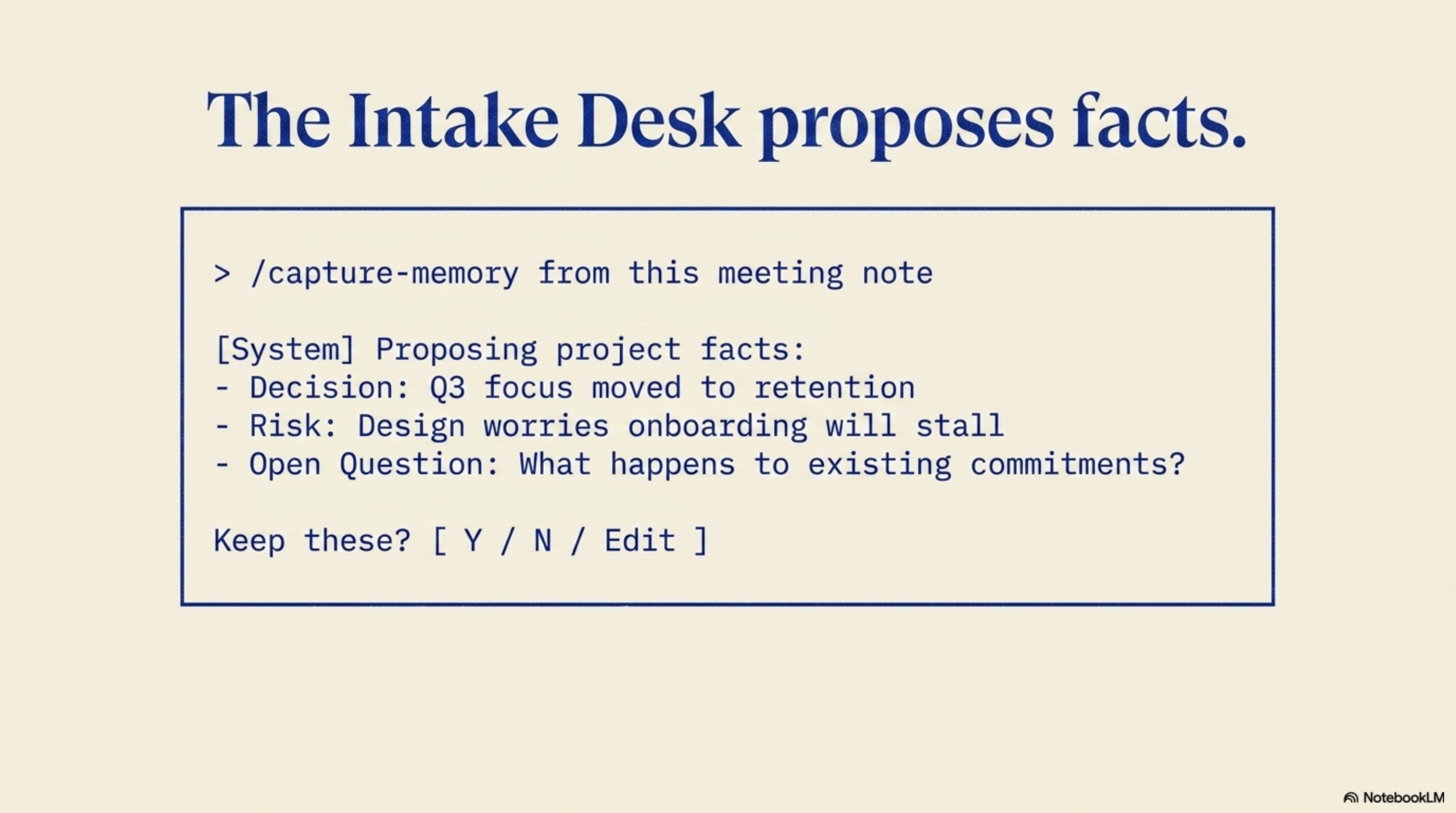
The new command is intentionally boring:
/capture-memory from this meeting note
You give PM OS a source: a pasted meeting note, an artifact path, a transcript, a quick update, or a summary you already confirmed.
PM OS reads it and proposes the small number of project facts worth keeping.
The important word is proposes.
It does not save the whole note. It does not swallow the transcript. It does not go wandering through your folders looking for context to preserve. It does not silently decide that something should become project history.
It gives you a preview and asks what to save.
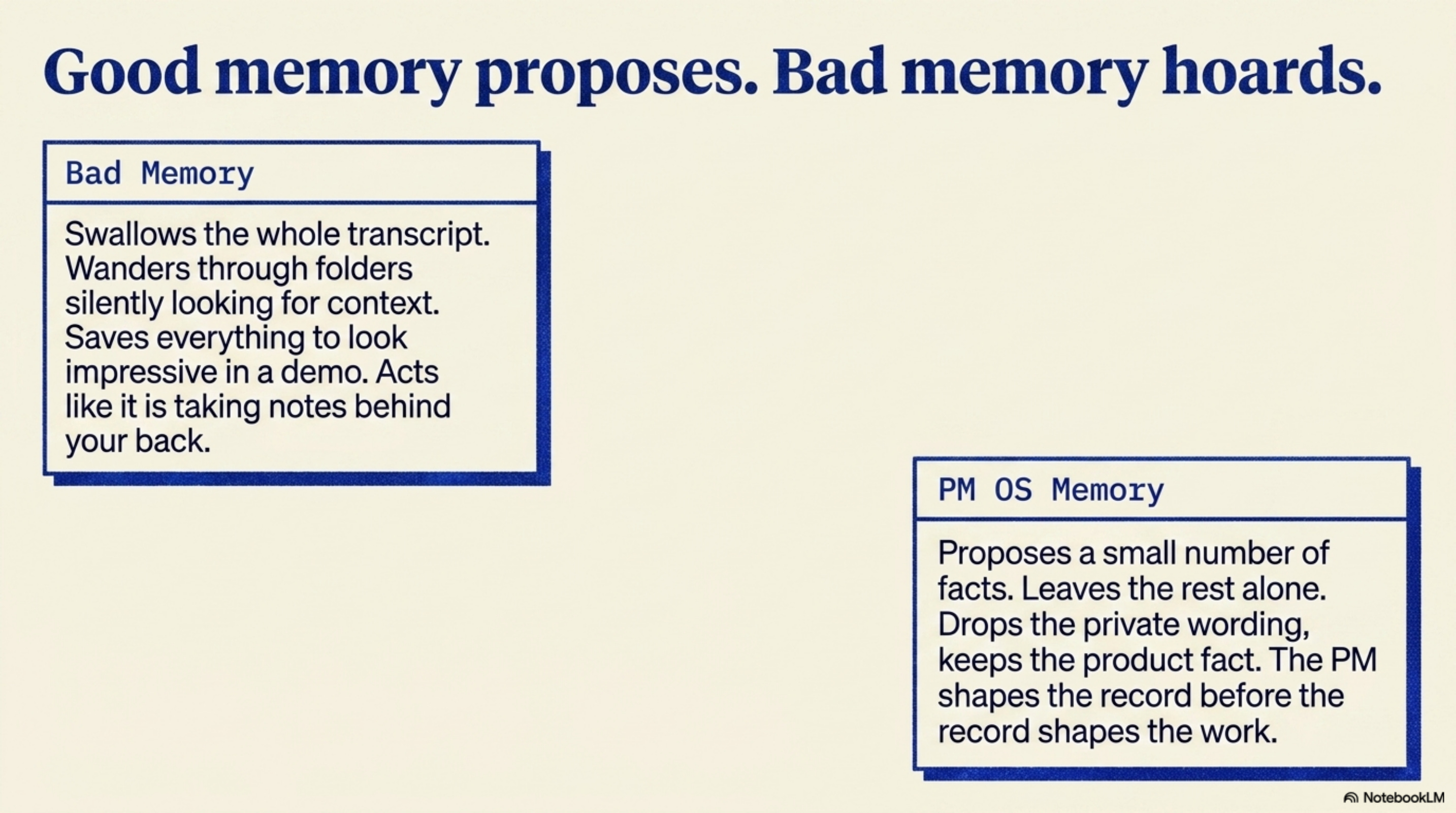
Bad memory systems try to remember everything because it feels impressive in a demo. Good project memory is much more selective. It saves the decision, the risk, the assumption, or the open question, and it leaves the rest alone.
Kandel makes a similar point about the nervous system: it abstracts the world rather than copying it. That is the right bar here. A transcript is a recording. A decision is the abstraction that lets future work continue.
A Simple Example
Say the meeting note says:
Leadership wants to pause mobile work and move the roadmap toward retention by Q3. Design is worried the onboarding project will look abandoned. The team still needs to decide what happens to current onboarding commitments.
PM OS might suggest:
decision: leadership moved Q3 focus from mobile to retentionrisk: design is worried onboarding may lose momentumopen question: what happens to existing onboarding commitments?
Then you choose: maybe you save the decision and the risk, maybe the open question is too vague, maybe it is already answered somewhere else, or maybe you want to rewrite the risk before it becomes part of the project record.
That choice matters because the PM should be able to shape the record before the record shapes future work.
Memory should not feel like the agent is taking notes behind your back. It should feel like an assistant brought you the few lines that might matter later and asked, “keep these?”
That is much closer to how PMs actually work.
You do not want a transcript dump. You want the durable part.
What Gets Preserved
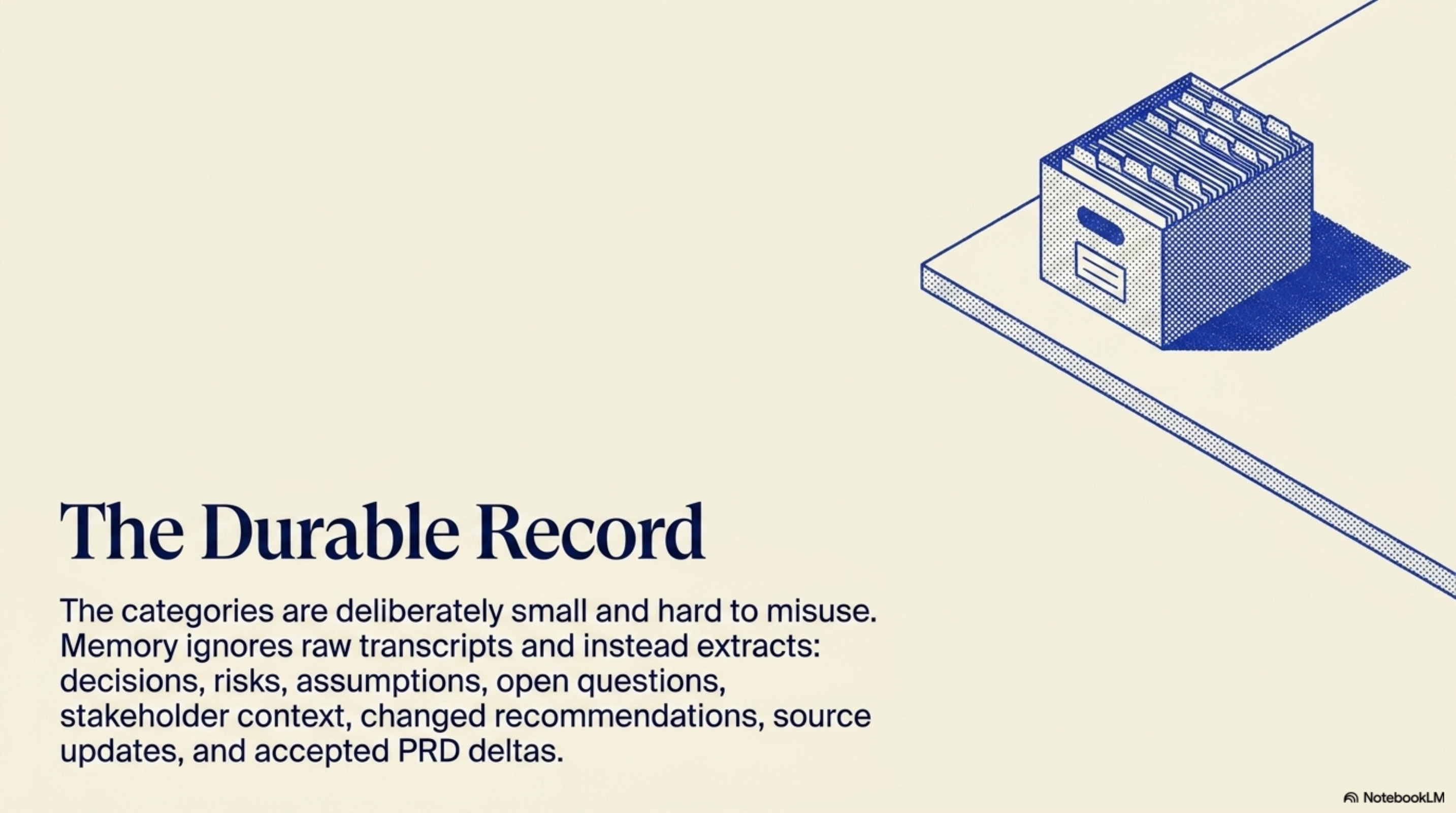
The categories are deliberately small:
decisions
risks
assumptions
open questions
stakeholder context
changed recommendations
source updates
accepted PRD deltas
I do not want the first version to be clever. I want it to be hard to misuse.
If the source is a transcript, PM OS should not copy the transcript into memory.
The bad version is:
Sarah said she was worried the CEO would think the onboarding plan is garbage.
The useful version is:
Design stakeholder confidence is low after the roadmap moved toward retention.
The second version is less invasive and more useful. It keeps the product fact. It drops the private wording.
That is the standard I want for this feature.
The Slow Context Habit
There is another kind of context that does not come from a meeting note.
It is the background stuff you keep assuming PM OS already knows:
how you like to work
who matters in your org
which constraints always shape decisions
what your current goals really mean
how you prefer updates, tradeoffs, and stakeholder language
I do not think many people will sit through a giant setup interview to explain all of that, and I would not either.
So V2 adds a slower habit:
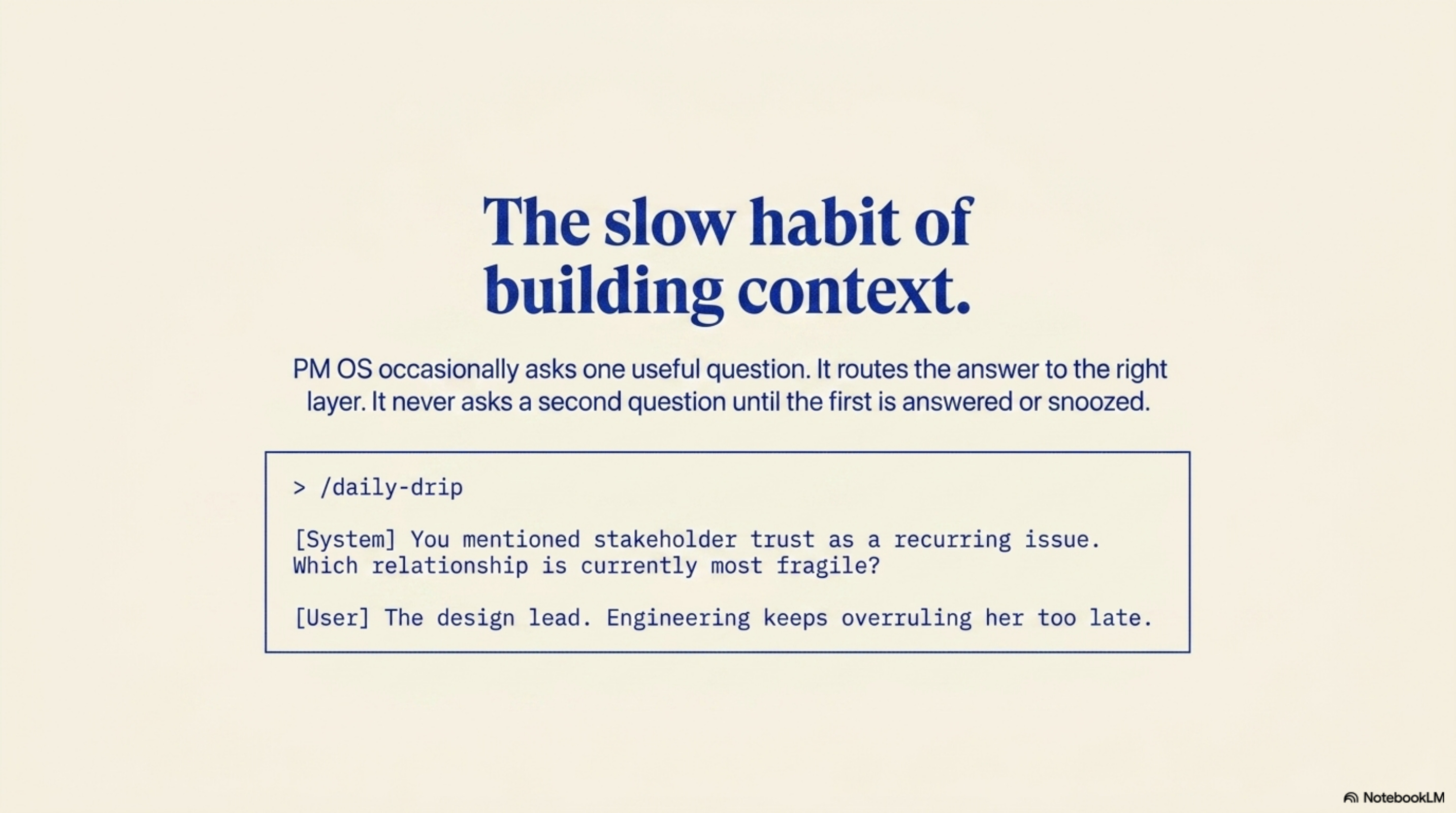
/daily-drip
The idea is simple. PM OS occasionally asks one useful question, such as: What is one thing I should learn about you, your work, or this project that would make future help sharper?
Then it waits, because there should be no second question until the first one is answered, skipped, snoozed, stopped, or filed.
That rule matters because “personalization” gets creepy fast when the system acts hungry for context. I do not want PM OS interrogating the user. I want it to build context slowly, with consent, from answers the user chose to give.
For example, PM OS might say: You’ve mentioned stakeholder trust as a recurring issue, so tell me which stakeholder relationship is currently most fragile.
If the answer is:
The design lead. She feels like engineering keeps overruling her too late.
PM OS should not blindly store that sentence.
It should decide what kind of context this is. Maybe it is project memory, because there is a design trust risk on the current roadmap. Maybe it is stable stakeholder context. Maybe it is sensitive and should be discarded. Maybe it needs confirmation before anything gets filed.
The point of /daily-drip is not to send a question every morning. That would be the easy and annoying version.
The hard part is asking one non-generic question and routing the answer to the right layer. That is slow memory: small question, small answer, better context over time.
Kandel’s Aplysia experiments found that long-term memory worked better with spaced training and rest than with one compressed burst. I do not want to pretend /daily-drip is biology. The analogy is simpler: durable context is easier to build through small spaced touches than through one giant setup interview.
How Memory Turns Into Recall
There are more ambitious agent memory systems already showing where this category can go.
OpenClaw Memory and Search points toward local indexing, hybrid search, active memory, and background promotion. Hermes Agent Memory and Sessions shows a serious session and memory layer with scoped memory files, SQLite search, summarization, atomic writes, and scanning for risky writes.
Those systems are interesting because they treat memory as infrastructure, not as a cute chat feature.
PM OS v2 starts at a narrower point: capture what changed, learn the missing background context slowly, then recall the useful part before the next workflow begins.
First we gave PM OS the save path.
Then we add the slow context-building habit.
Next we add the read path.
The read path matters because bad recall is almost as dangerous as bad capture. A bad system would paste every saved event into the prompt and hope the model sorts it out.
PM OS does not do that.
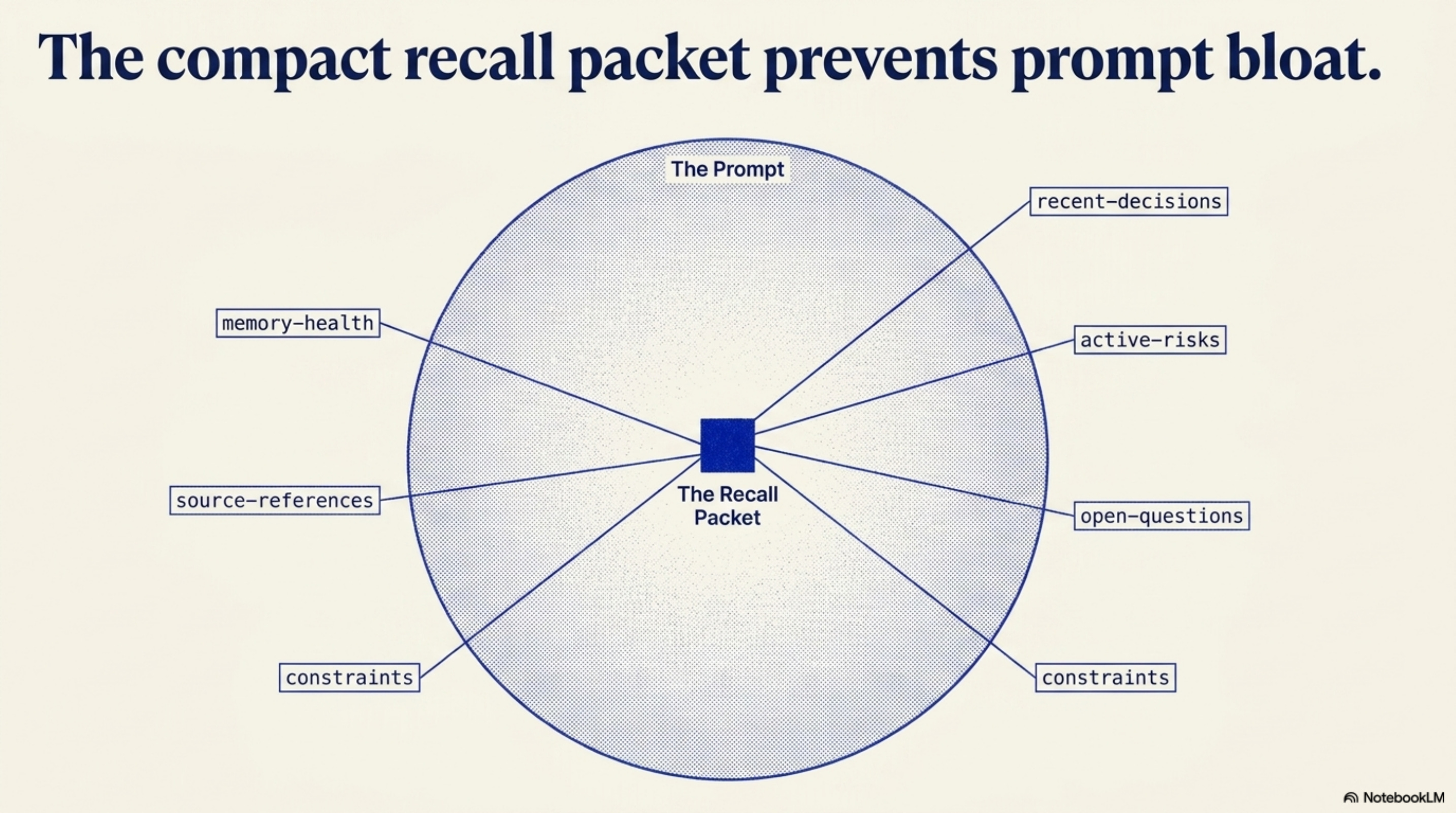
It builds a small recall packet: recent decisions, active risks, open questions, assumptions, constraints, source references, and memory health. The packet is the orientation layer, so PM OS gets the few facts that should change what it says next without dragging the whole project, every old decision, every drip answer, or raw transcripts into the prompt.
That is closer to working memory than archive search. Working memory does not drag your entire life history into every task. It brings the relevant past into the present long enough to act. That is what the recall packet is trying to do for a project.
That changes what /status can do immediately.
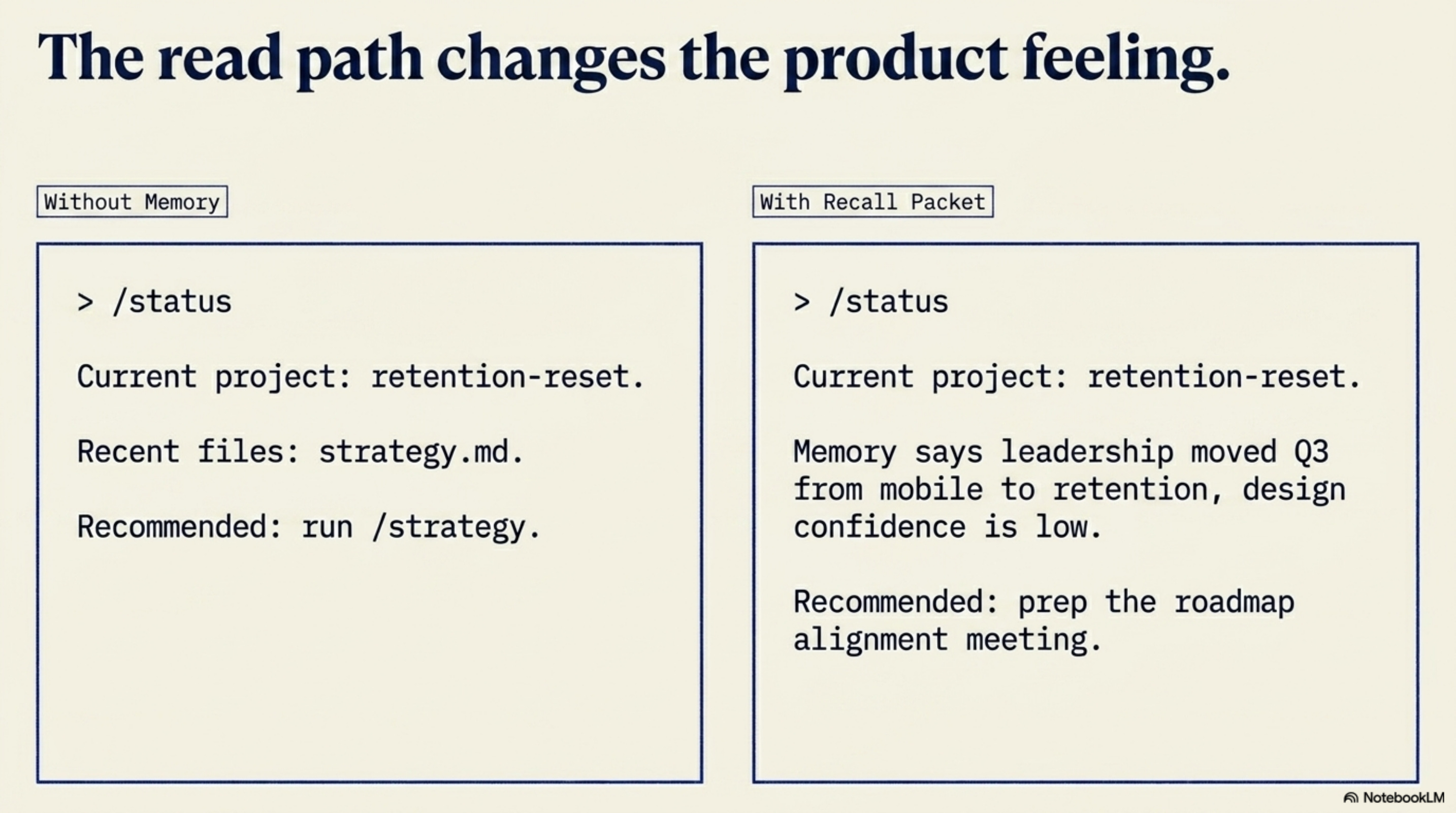
Before, /status could look around the folder and say:
Current project: retention-reset. Recent files: strategy.md, meeting.md. Recommended next step: run /strategy.
Now it can say:
Current project: retention-reset. Memory says leadership moved Q3 from mobile to retention, design confidence is low, and mobile commitments are still unresolved. Recommended next step: prep the roadmap alignment meeting with /meeting.
That is a very different product feeling.
The same thing happens inside workflows.
If you ask PM OS to help prep for a roadmap meeting, it should not start with a generic intake question if the live tension is already in memory.
It should ask something sharper:
I see the live tension is the Q3 move from mobile to retention, plus design’s concern that onboarding is being abandoned. Is this meeting mainly to align design, reset leadership expectations, or decide what happens to mobile commitments?
That is the moment where the system starts to feel like it remembers the actual situation.
Memory Loop
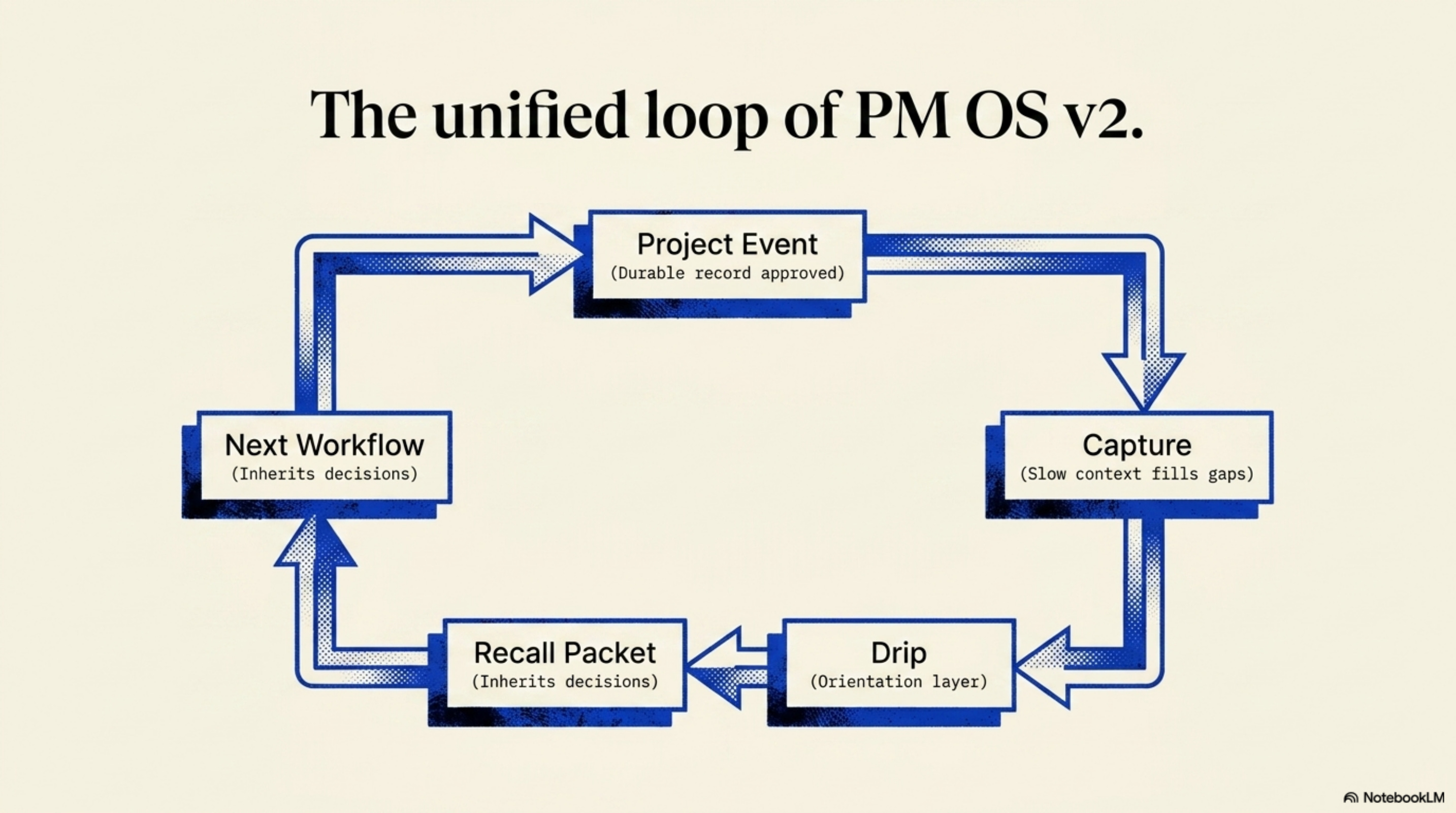
I do not want PM OS v2 to be a vague promise that “the AI remembers.”
I want it to remember the parts of product work that deserve memory.
V1 helps you think and ship, but you’re still curating context, filling it in during conversations.
V2 starts to remember what changed and why.
Then it slowly learns the background context that makes future help sharper.
And then it uses what changed before helping you again.
PM OS is where I am building this operating layer for product managers who do not want to assemble the whole memory system themselves.
New AI Skills
Good Question Brainstormer: Generate, improve, and rank high-leverage questions for strategy, product discovery, innovation, writing, decisions, and life planning. Use when the user asks to brainstorm better questions, question storm, find an eigenquestion, reframe a problem, generate product discovery questions, ask sharper why/what-if/how questions, or turn a vague topic into actionable inquiry.
McKinsey Issue Tree: Transforms a messy problem into a McKinsey-style issue tree (Why / What / How shape, auto-detected) and produces the matching deliverable — testable hypotheses for diagnostic problems, sequenced execution plans for compositional/roadmap problems, or ranked options for solution-search problems. Use when the user has an unstructured business, product, or organizational problem they want to decompose rigorously. Triggers on phrases like “structure this problem”, “build me an issue tree”, “find the root cause”, “what does producing X require”, “options for X”, “decompose this”, “produce a roadmap for”, “why is X happening”, “how might we achieve X”. Detects tree shape from input and confirms with user. Interactive — interviews when input is thin, processes directly when input is rich.